Landing Page Audit: Find the Line That Loses the Sale

Copy-first landing page audit guide: the 5-step walkthrough, what free checkers and graders really catch vs miss, the 7 buying triggers, and the $9 diagnostic that names the leak.
You pasted your URL into a free checker at 11pm. It came back 78/100, flagged the favicon, and suggested compressing two images. Your headline, the one that's supposed to make a stranger care, went unexamined. Sales stayed where they were.
You've rewritten the page twice since then. It reads fine. Fine gets scrolled past.
Here's the split nobody selling audits admits: the audit market checks two of three things. Technical graders check the container (speed, mobile, tags). Heatmap tools watch the behaviour (where visitors scroll, stall, and leave). Neither reads the argument: the actual words that give a visitor a reason to buy, or don't. This guide covers all three, in the order that finds money fastest: what the free tools really catch, the 5-step copy-first landing page audit you can run today for nothing, and Watson, the $9 one-time copy diagnostic that runs the copy side automatically. Every number in this guide carries a source.
TLDR: What Should You Know About Landing Page Audits?
- A landing page audit is a structured check of one page across three objects: the container (speed, mobile, technical health), the behaviour (where visitors drop), and the argument (why they didn't buy).
- Free checkers, graders, and analyzers measure the container well; Google's own thresholds define "good" as an LCP within 2.5 seconds. None of them reads the argument, and users read only about 20% of a page's words in the first place (Nielsen Norman Group).
- The copy-first walkthrough has 5 steps: the above-the-fold message test, the 7 buying triggers, the proof placement check, the CTA logic walk, and one-fix prioritisation. It costs $0 and takes an afternoon.
- Watson automates the copy side: $9 one time, no subscription. It scores seven buying triggers, ranks the leaks, and names the first fix, with the report in your hands in about 10 minutes. If it tells you nothing new, you get the $9 back. Lestrade, the intake interviewer, stays free and unlimited.
What Is a Landing Page Audit?
A landing page audit is a structured check of one page to find and rank whatever stops visitors converting. The output is a ranked list of leaks with a first fix at the top. That's the whole job. It's narrower than a full website audit (one page, one conversion goal) and narrower than the CRO audits that cover the whole funnel.
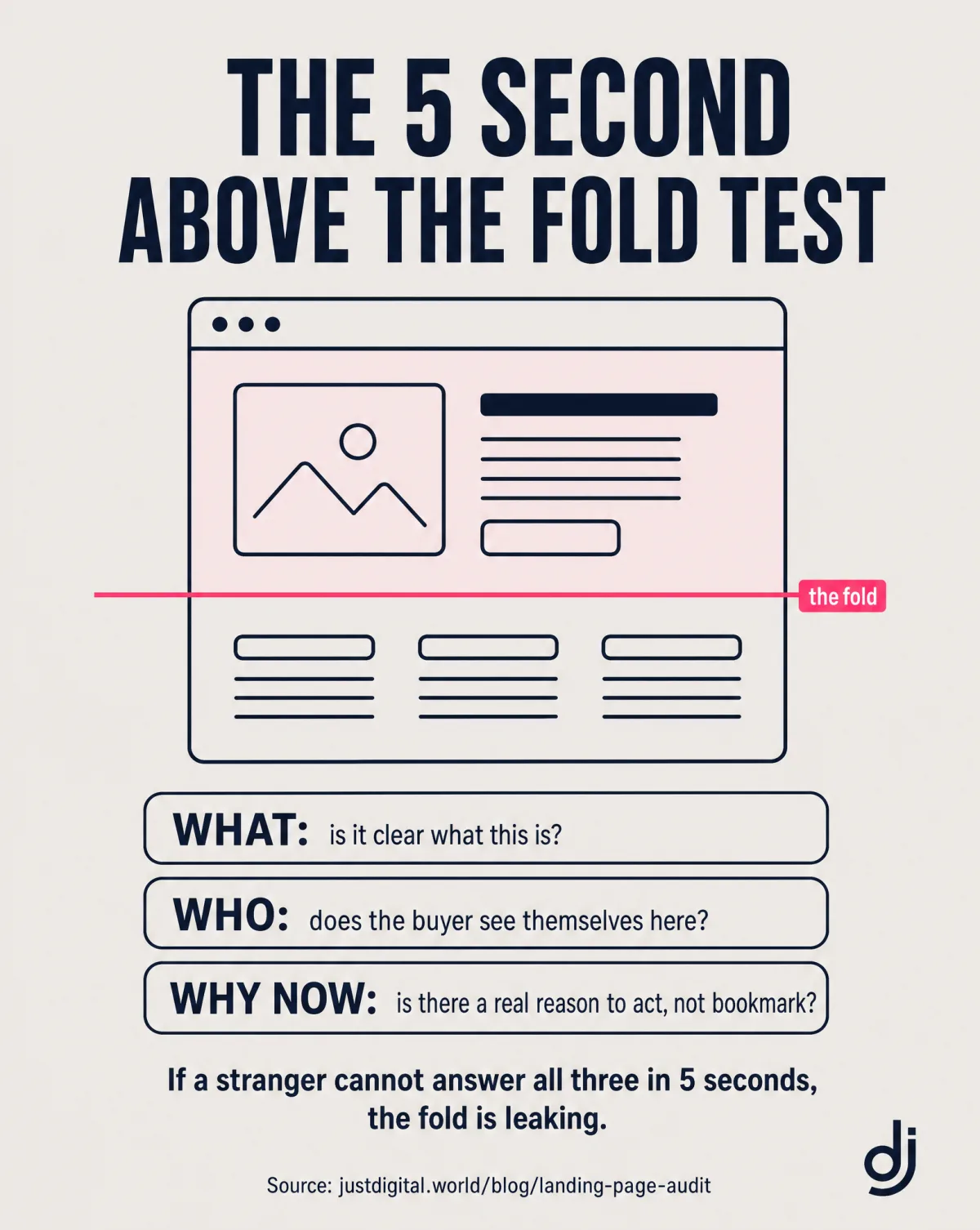
A useful audit looks at three different objects. The container: does the page load fast, render on mobile, and pass technical checks? The behaviour: where do visitors scroll, hesitate, and leave? The argument: do the words give this specific buyer a reason to act? Most audits stop after the first two, because the first two are the ones software can measure without understanding a sentence.
The words people search reveal the same split. A landing page checker or landing page grader is an automated scorer: paste a URL, get a score, annotated screenshots, and a fix list. A landing page analyzer usually adds speed, SEO, and mobile measurements. A free landing page audit is, most of the time, a lead magnet with a sales sequence attached. And a copy diagnostic reads the argument itself. Same word, "audit", five different products.
| Term You Searched | What It Usually Means | What It Audits |
|---|---|---|
| Landing page audit | A structured page review, manual or tool-run | Container + behaviour, sometimes copy |
| Landing page checker / grader | Automated checklist score | Element presence, container |
| Landing page analyzer | Automated scorer with speed, SEO, and mobile measurements | Container |
| Free landing page audit | Usually a lead magnet for an agency or platform | Varies; the follow-up is the product |
| Copy diagnostic | A read of the argument itself | Why the visitor didn't buy |
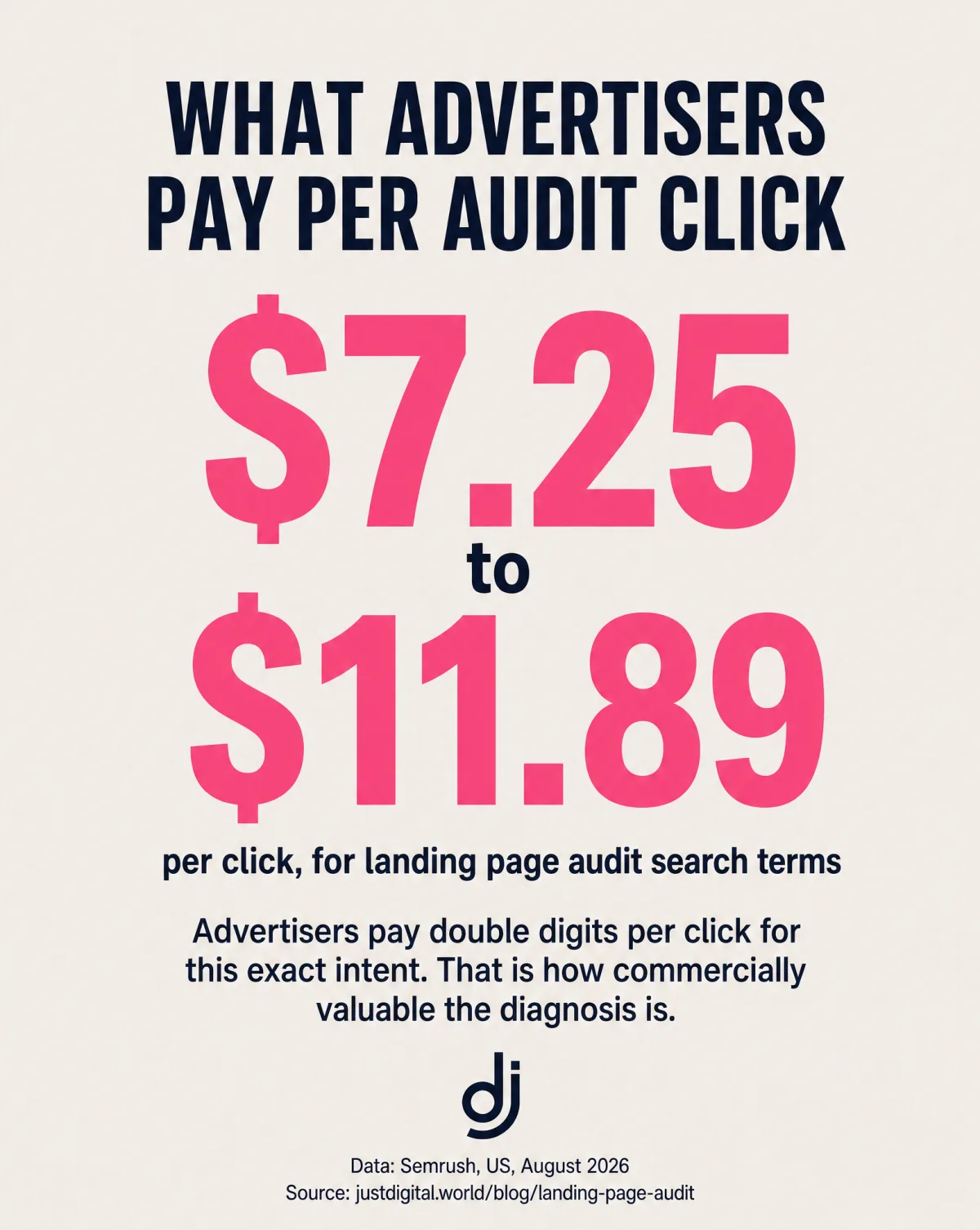
One number tells you how commercial this territory is. In our August 2026 Semrush pull (US database), advertisers were paying $7.25 to $11.89 per click across the audit-term set: "landing page audit" alone carried a $10.95 average CPC on 140 searches a month. Nobody pays double digits for ad clicks from browsers. They pay it because the person searching is close to spending real money on a page that doesn't convert yet.
Scope note before we start: this guide audits one page. When the leak might be anywhere in the funnel (traffic, tracking, offer, page), the CRO audit guide covers the whole system. Both use the same rule we apply to our published case studies: every claim gets a source, and if a number can't be attributed, it doesn't ship.
What Do Free Landing Page Audit Tools Catch (and What Do They Miss)?
Free audit tools are accurate about what they can parse. The trouble is what they can't: no free grader reads your page the way a buyer does. Three categories dominate, and each earns its keep before it hits its ceiling.
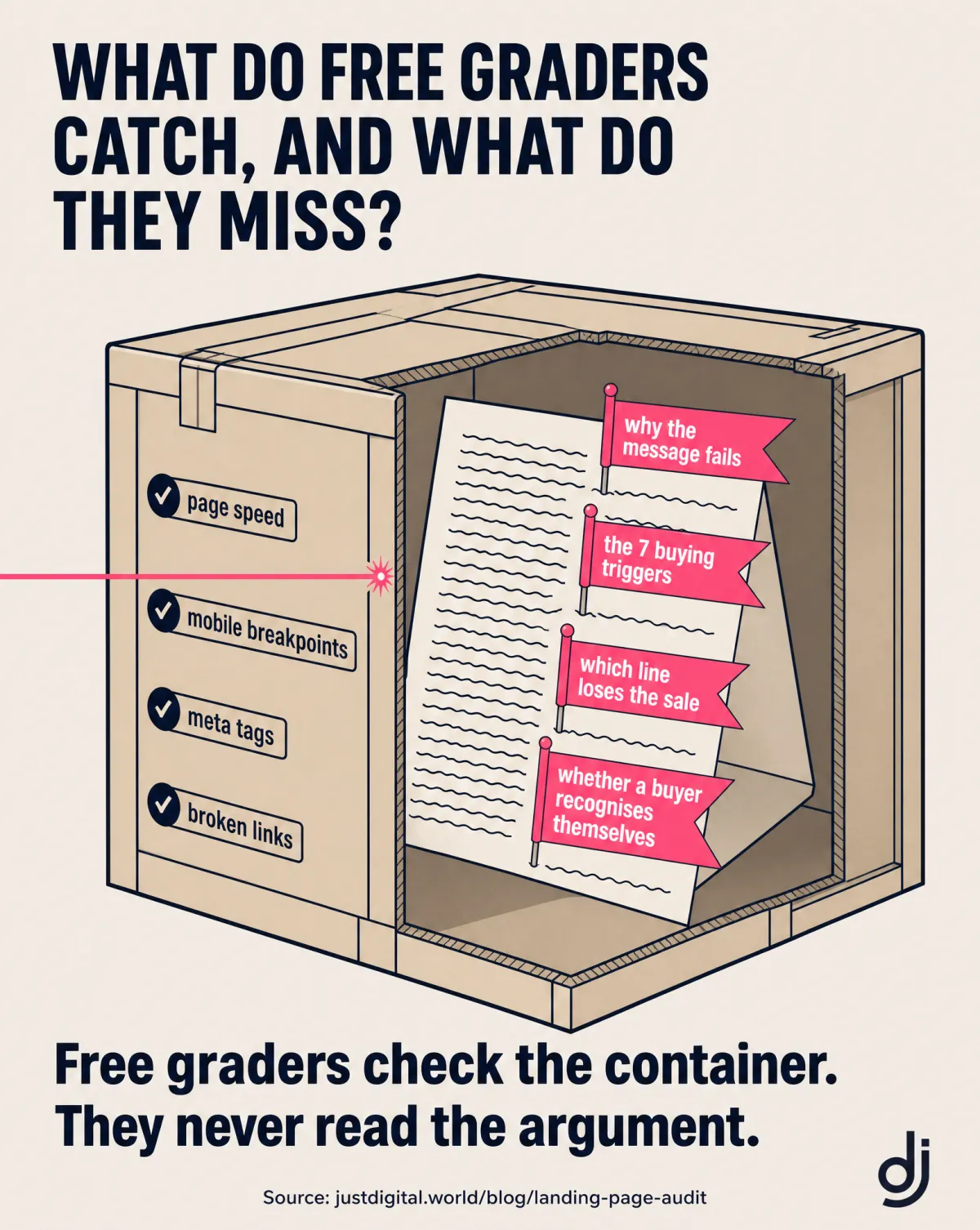
Technical graders (Google PageSpeed Insights is the canonical free example) measure the container: page loading speed, layout shift, mobile responsiveness, missing tags, accessibility basics. Think of them as a health check for the page's machinery. This is real, primary-source territory. Google's published Web Vitals thresholds call a page "good" at an LCP within 2.5 seconds, an INP at or under 200 milliseconds, and a CLS at or under 0.1, measured at the 75th percentile (web.dev). A page that fails these loses visitors before any sentence gets read, so run one of these graders first and fix what it flags. What it cannot tell you: whether your headline names a problem your buyer recognises.
Heatmap and session tools (Microsoft Clarity is a widely used free example) record the behaviour: scroll depth, clicks, hesitation, the exact section where visitors leave. They answer "where", with precision. They never answer "why". A heatmap can show you 70% of visitors stopping at your pricing section. It cannot tell you whether the price is wrong, the value above it was unproven, or the button below it asks for too much.
AI checklist graders, the AI-powered landing page audit tools, check element presence: is there a headline, a visible call to action, trust badges, a short form? Most also flag landing page design and user experience (UX) basics: cramped layouts, missing white space, text that isn't easy to read. Useful as a completeness pass. But element presence is not element quality. A headline that exists and says nothing scores the same as one that sells.
The shared blind spot matters more than any single tool's gaps. Research published by Nielsen Norman Group, built on 45,237 recorded page views, found users read about 20% of the words on an average visit, and 28% at most (How Little Do Users Read?). Your buyer skims a fifth of your copy and decides. No automated grader can tell you whether that fifth carries the sale.
| Tool Category | What It Catches | What It Cannot Tell You |
|---|---|---|
| Technical graders | Slow LCP, layout shift, mobile faults, missing tags | Whether the headline names a problem your buyer recognises |
| Heatmap and session tools | Where visitors scroll, click, hesitate, leave | Why they left: which sentence failed |
| AI checklist graders | Missing elements: headline, CTA, badges, form length | Whether the proof is believable or the offer makes sense |
One assumption to correct before moving on: a high grader score means the container passes. It doesn't mean the page persuades anyone. If your scores are green and sales are flat, the leak is in the argument, and the tool you need for the argument is a copy diagnostic. The wider tool landscape, including the where-tools worth having, is covered in our conversion rate optimization tools guide.
How Do You Audit a Landing Page Yourself? The Copy-First Walkthrough
These 5 steps are the free landing page audit. You don't need to sign up for anything, and nobody calls you on Thursday. Run them in order, today, and write down a verdict at each step. The order matters: it starts where the most viewing time lives and ends with a single shipped fix.
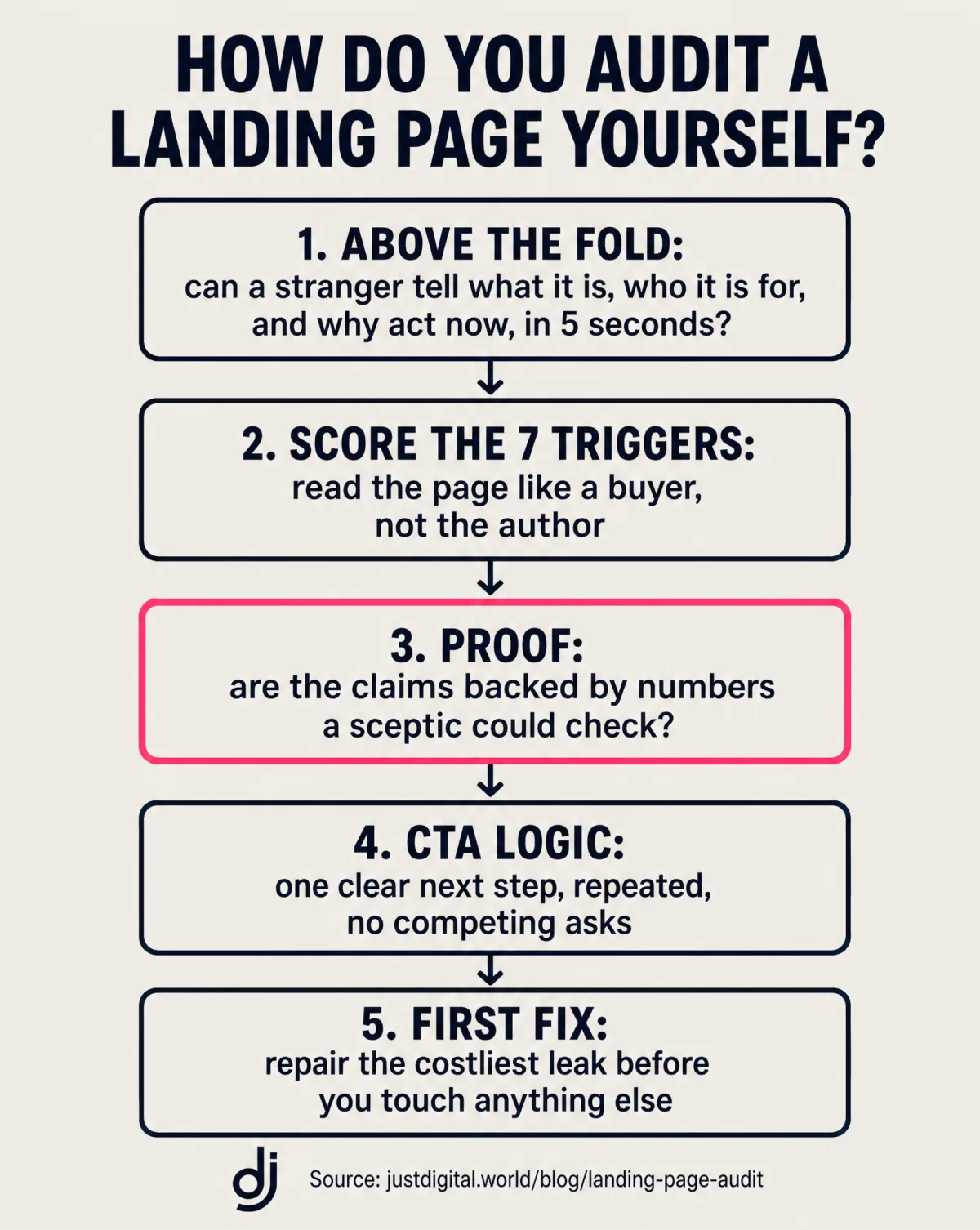
Step 1: Run the Above-the-Fold Message Test
The first screen carries the sale. Nielsen Norman Group's 2018 eyetracking study, across more than 130,000 eye fixations, measured 57% of viewing time on the first screenful and 74% inside the first two (Scrolling and Attention). Whatever your page needs to say, most of its audience only hears the opening.
The test: show a stranger a screenshot of your first screen, the hero section, for 5 seconds. Then ask 4 questions:
- What is this?
- Who is it for?
- What do you get?
- What do you do next?
Every miss is a first-screen leak, and each one is specific: a question a paying visitor couldn't answer from the screen you spent the most time polishing.
Why a stranger, and not you? Harvard Business Review named this trap the curse of knowledge: once you know your offer inside out, you can no longer read your own page the way a first-time visitor does. You've read the page 200 times. You literally cannot see it anymore. A stranger can, in 5 seconds, at no cost.
Step 2: Score the 7 Buying Triggers
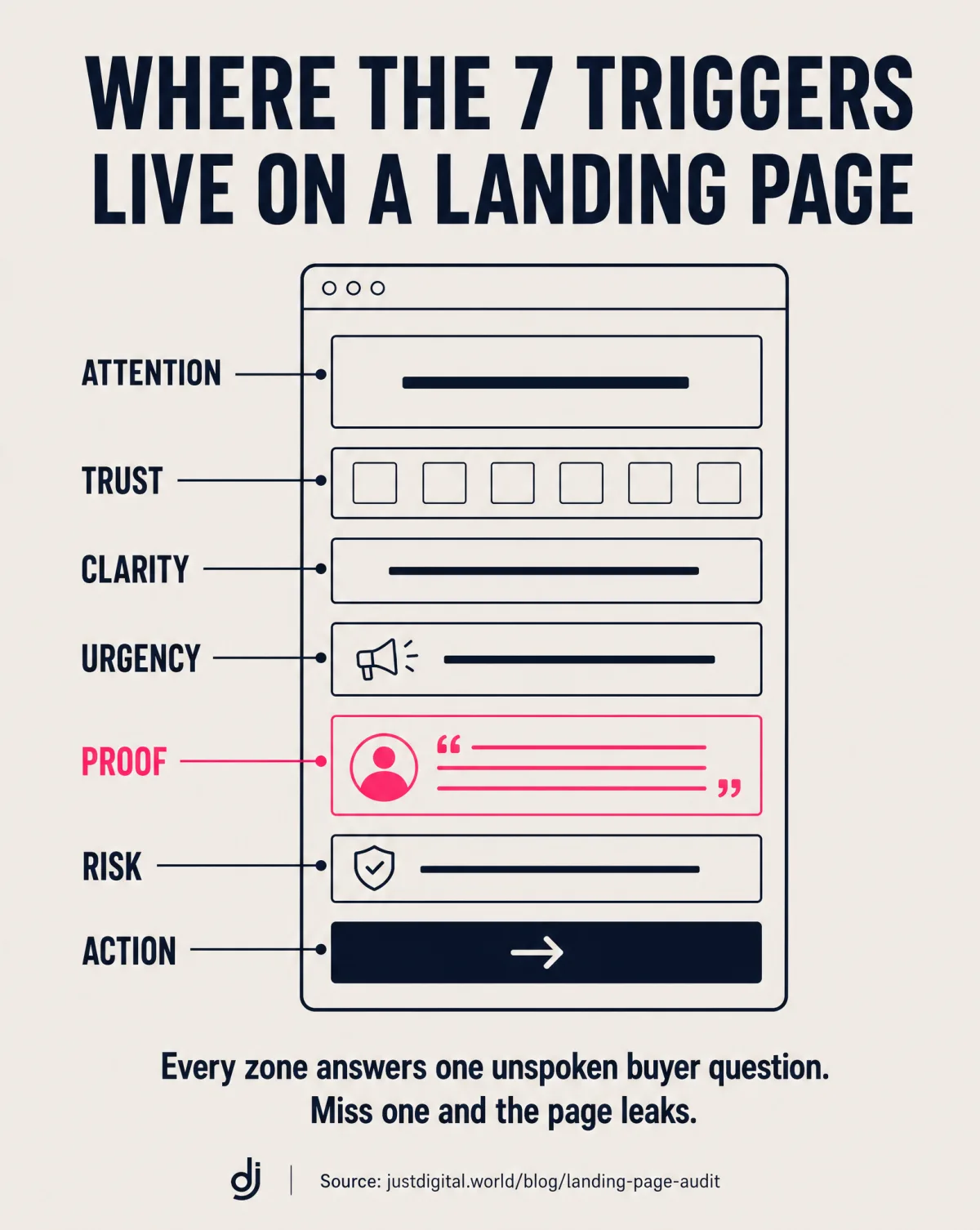
A "no" on any trigger is a leak with an address. This is the hand-run version of the diagnostic Watson scores automatically. Ask your page these 7 questions, one per trigger:
- Attention: does the first line name a problem the buyer recognises as theirs?
- Trust: is there a name, number, or receipt a sceptic could check?
- Clarity: could a stranger say what's on offer, and for whom, after one read?
- Urgency: is there a real reason to act now rather than bookmark for later?
- Proof: does evidence sit next to each claim, or is it pooled in a testimonial section nobody reads?
- Risk: is the downside answered: price, refund terms, effort to get started?
- Action: is the next step obvious, priced, and singular?
Count the noes and note which section each one lives in. Two noes clustered above the fold outrank four noes in the footer. Which message should even lead the page is its own discipline; the message testing guide covers how to find out which promise wins before you commit budget to it.
Step 3: Check the Proof Placement
Proof persuades next to the claim it proves, not three screens later. Customer testimonials, logos, ratings, and security badges are social proof, and placement decides whether they do the work of building trust where it's needed. The pooled-testimonial layout fails quietly: the claim ("set up in two minutes") sits in one section, and the evidence for it sits in a carousel far below, where the sceptical reader who needed it never arrives.
The exercise: list every claim your page makes, then find each claim's nearest evidence. A claim more than one scroll from its proof is unproven where it counts. The stakes are documented. The Baymard Institute's running average across 50 studies puts documented cart abandonment at 70.22%, and in its reasons breakdown, 19% of abandoners said they didn't trust the site with their credit card details (Baymard Institute). Distrust is a stated, measured reason people leave money on the table. Proof placement is how a page answers it in advance.
Step 4: Follow the CTA Logic
One page, one primary action, and a button that names the outcome. Competing CTAs split the decision, so walk your page top to bottom as a decision path and check four things: there's a single primary action (not "buy, or book a call, or subscribe, or follow us"); the button says what happens ("Get my report" or "Start the free trial", never "Submit"); each section ends a step closer to the action; and the form asks only for what the offer needs.
Forms are where the friction points concentrate, and form friction is measurable and expensive. In the same Baymard reasons data, 18% of abandoners cited being forced to create an account, and 17% a checkout process that was too long or complicated. Every field you ask for is a small toll. Charge it only where the offer justifies it.
Step 5: Pick One Fix
Ranked beats complete. The 100-point checklist has a failure mode the checklists never mention: 100 checkboxes and zero idea which one moves revenue. The walkthrough ends differently. Take your leak list, pick the one highest on the page with the biggest trigger miss, and fix that one thing. Ship it. Re-run the fold test. Then, and only then, take the next leak.
Doing this before your next traffic spend is plain arithmetic: the clicks you're buying cost real money (recall what advertisers pay per click in this category), and every day they land on a leaking page, the leak is priced in.
That's the full manual audit. If you'd rather have the same diagnostic run for you, ranked, with the first fix named, that's exactly what the next section is.
Which Landing Page Audit Tool Tells You Why? Watson, the $9 Copy Diagnostic
Watson is the copy-first landing page audit tool: when the leak is a copywriting problem rather than a container problem, this is the diagnostic that reads it. Watson investigates your page, scores the seven buying triggers you just hand-scored (Attention, Trust, Clarity, Urgency, Proof, Risk, Action), and ranks the leaks costing you sales. $9, one time, no subscription. It runs inside Claude: setup takes about two minutes with the included guide, no technical skill needed. Hand it a URL and the report is in your hands in about 10 minutes, and reads in about 10 minutes. It works on anything that's supposed to sell: homepages, landing pages, sales pages, offer pages.
The report doesn't hand you a score and wish you luck. It opens with the Prime Suspect: the one leak costing you the most, named first. Then all 7 triggers scored, every issue ranked with its fix attached, Watson's notes on what to change first and why, and a named next step. You can read a real one before spending anything: a live homepage Watson scored 2.3/5 is public on the DomMCP page.
Founders who ran it first said it plainly. Anton, founder of MVP Gurus: "It's done what would take hours and an expert to do." Vanjo, founder of Wolkk: "I was shocked how accurate this was."
The guarantee, exactly as the product page words it: "Try it without risk. Run all 5 tools once each. If you don't find a single thing worth changing in your marketing, reply to your receipt and get the $9 back."
And here's what Watson will not do, because an audit guide owes you the ceiling as well as the pitch. Watson doesn't crawl your site, doesn't measure page speed, doesn't record sessions or draw heatmaps. The free technical graders keep that job, and your analytics keep the "where". Watson reads the argument: the one object in the audit stack the free tools can't parse. When the rewrite after the diagnosis needs your buyers' real words rather than better guesses, that's Sherlock's Customer DNA report, the deep-research step after Watson.
| Check | Free Graders | Watson |
|---|---|---|
| Page speed, mobile, technical tags | Yes | No |
| Element presence (headline, CTA, badges) | Yes | Reads them, for what they say |
| The 7 buying triggers, scored | No | Yes |
| Leaks ranked by cost, first fix named | No | Yes: the Prime Suspect first |
| Price | $0 | $9, one time, money back per the guarantee |
The timeline on the product page is literal. 2:00pm, buy Watson. 2:02, two-minute setup in Claude. 2:04, hand it your URL. 2:10, report in hand, triggers scored, leaks ranked. 2:30, your first fix is live.
Ready to Find the Line? Run Watson on Your Page
What Does a Landing Page Audit Cost?
The ladder runs $0 to $9 before any agency invoice. No page ranking for these terms prints its prices, so here's the whole ladder, priced and sequenced:
| Step | What You Get | Cost | Right When |
|---|---|---|---|
| Free technical graders | Container report: speed, mobile, elements | $0 | Always: run one first, fix the container basics |
| Lestrade | Free intake interview; builds the case file the other tools work from | Free, unlimited | You're starting from zero |
| Watson | 7 triggers scored, leaks ranked, first fix named, in about 10 minutes | $9, one time | The page gets traffic and doesn't convert |
| DomMCP trial | One full run of every tool in the agency, inside Claude | $9, one time | You want the whole diagnosis-to-rewrite loop |
| Done-for-you sprint | The studio runs the audit and the rewrite | By proposal | The stakes exceed your time |
About "free": most free landing page audits are lead magnets. The PDF costs nothing because the PDF isn't the product; the follow-up sequence is. That's not a scandal, it's a business model, but you should know which one you're stepping into. Lestrade is free for a different reason: it's the intake step. It interviews you about your business and builds the case file the other detectives work from, it stays free and unlimited, and it never counts against a plan.
The DomMCP $9 one-time trial includes one full run of every tool in the agency, Watson among them, inside Claude. Agency audits and annual conversion optimization suites sit at the top of the ladder, typically priced in the four figures, and they're the right call when the stakes justify them: a lead generation page carrying serious ad spend deserves senior eyes. For done-for-you sprints from the studio, message Dom on LinkedIn.
When Should You Re-Audit a Landing Page?
An audit is current only for the page version it scored. Edit the page and yesterday's report describes a page that no longer exists. Skip the calendar; re-audit whenever one of these four things happens:
- After any rewrite, even a "small" one: headlines are small edits with large consequences
- After a traffic-source change: visitors from a comparison post and visitors from a cold ad arrive with different questions
- After a price change: price moves the Risk trigger for every reader
- When conversion drifts and tracking can't explain it
A re-run treats the new page as a new case. And when a re-audit shows the same leak surviving rewrite after rewrite, the missing ingredient is usually evidence: the DomMCP trial includes one Sherlock run for exactly that moment, and it builds the buyer-language case file your rewrites have been guessing at. The same trial covers competitor analysis too: one Moriarty run reads what your competitors' own customers complain about, which is where positioning leaks hide.
One boundary worth naming: an audited page converts the traffic you already have; it doesn't create traffic. The keyword-side siblings cover that half of the job: high-converting keywords for choosing terms buyers actually purchase from, bottom-of-funnel keywords for the searchers closest to buying, and these search optimisation tips for the traffic engine itself. And if you want the cautionary tale of what happens when the traffic side collapses regardless of page quality, the Justin Welsh autopsy is public.
Conclusion: Audit the Argument, Not Just the Container
Run the free graders for the container. Run the 5 steps for the argument: fold test, 7 triggers, proof placement, CTA logic, one fix. Then ship that one fix before you touch anything else.
The part of the audit no free tool covers is the part that decides the sale, and it costs the least to check: Watson scores the seven buying triggers, ranks your leaks, and names the first fix for $9, one time, with the report back in about 10 minutes. Get Watson at getwatson.io.
One Audit, Every Tool: Try DomMCP for $9
Frequently Asked Questions
What does a landing page audit report contain?
A useful audit report contains:
- A ranked list of leaks, not just a score
- The single costliest leak named first
- A fix attached to each finding
Watson's $9 report carries exactly that: the Prime Suspect named first, all 7 triggers scored, every issue ranked with its fix, and a named next step, in about 10 minutes.
What happens after I buy Watson?
Four steps, about 10 minutes:
- Two-minute setup inside Claude (guide included, no technical skill needed)
- Hand Watson your page URL
- Report back in about 10 minutes: triggers scored, leaks ranked
- Ship the first fix
If it tells you nothing new, reply to your receipt and get the $9 back.
What's the difference between a landing page audit and a CRO audit?
Scope:
- A landing page audit checks one page: its message, proof, CTA logic, and container
- A CRO audit checks the whole conversion system: traffic, funnel, analytics, testing programme
Run the page audit first; one broken page is the lowest-cost fix in the funnel. The full method sits in our CRO audit guide.
What is a landing page checker?
A landing page checker is an automated scorer:
- Paste a URL, get a score and a fix list
- Checks element presence, speed, and mobile rendering
- Audits the container, not the argument
Note: a high checker score means the page passes the checklist, not that the words persuade anyone.
Is there a truly free landing page audit?
Mostly no: "free audit" usually means a lead-magnet PDF followed by a sales sequence. Truly free:
- The 5-step walkthrough in this guide
- Free technical graders (real, but container-only)
- Lestrade, the free unlimited intake interview that builds your case file
The paid step after Lestrade is Watson, at $9, one time.
What does a landing page grader score?
A landing page grader scores checklist compliance:
- Headline and CTA presence
- Page speed and mobile layout
- Trust elements and form length
It cannot score whether the headline names a problem your buyer recognises. That's a copy diagnostic's job, and it's the difference between the two tool families.
What is a good landing page score?
There is no standard scale and no industry benchmarks for grader scores: every tool scores its own checklist, so an 82 on one tool isn't an 82 on another. Treat any score as a container report. The number that matters is conversion, and the audit's job is to find what blocks it.
How do I audit my landing page for free?
Free, today:
- Run the 5-second above-the-fold test with one stranger
- Hand-score the 7 buying-trigger questions in this guide
- Run a free technical grader for the container
- Let Lestrade interview you (free, unlimited)
The $9 step, when you want the leaks ranked for you, is Watson.
Get Updates Like This
Audits like this one land in the newsletter first, alongside AI marketing that converts and SEO that converts better. You get the receipts as they happen. I won't spam you, I promise.
Sources
- Nielsen Norman Group, How Little Do Users Read? (users read about 20% of words on an average visit, 28% at most; 45,237 recorded page views)
- Nielsen Norman Group, Scrolling and Attention (57% of viewing time above the fold, 74% in the first two screenfuls; 2018 eyetracking, 130,000+ fixations)
- Google, Web Vitals, web.dev (good thresholds: LCP within 2.5 s, INP at or under 200 ms, CLS at or under 0.1, at the 75th percentile)
- Baymard Institute, cart abandonment statistics (70.22% average across 50 studies; 19% card-distrust, 18% forced account creation, 17% long or complicated checkout)
- Heath and Heath, The Curse of Knowledge, Harvard Business Review, December 2006