50 Search Optimization Tips for 2026: Get Found, Then Get Chosen

50 real search optimization tips for 2026, built from dated studies and our own core-update autopsy, ending with the one tip no list covers: does the ranked page convert?
You've read this article before. Same 10 tips, new year in the title, and by paragraph three it's quietly an advert for whatever tool wrote it.
I know, because I read about 30 of them before writing this one. And because I've been building and running websites since the 2000s. In 2012 I lost a six-figure content site to a Google spam penalty, so I don't hand out search advice lightly. Traffic you rent from an algorithm can be recalled overnight.
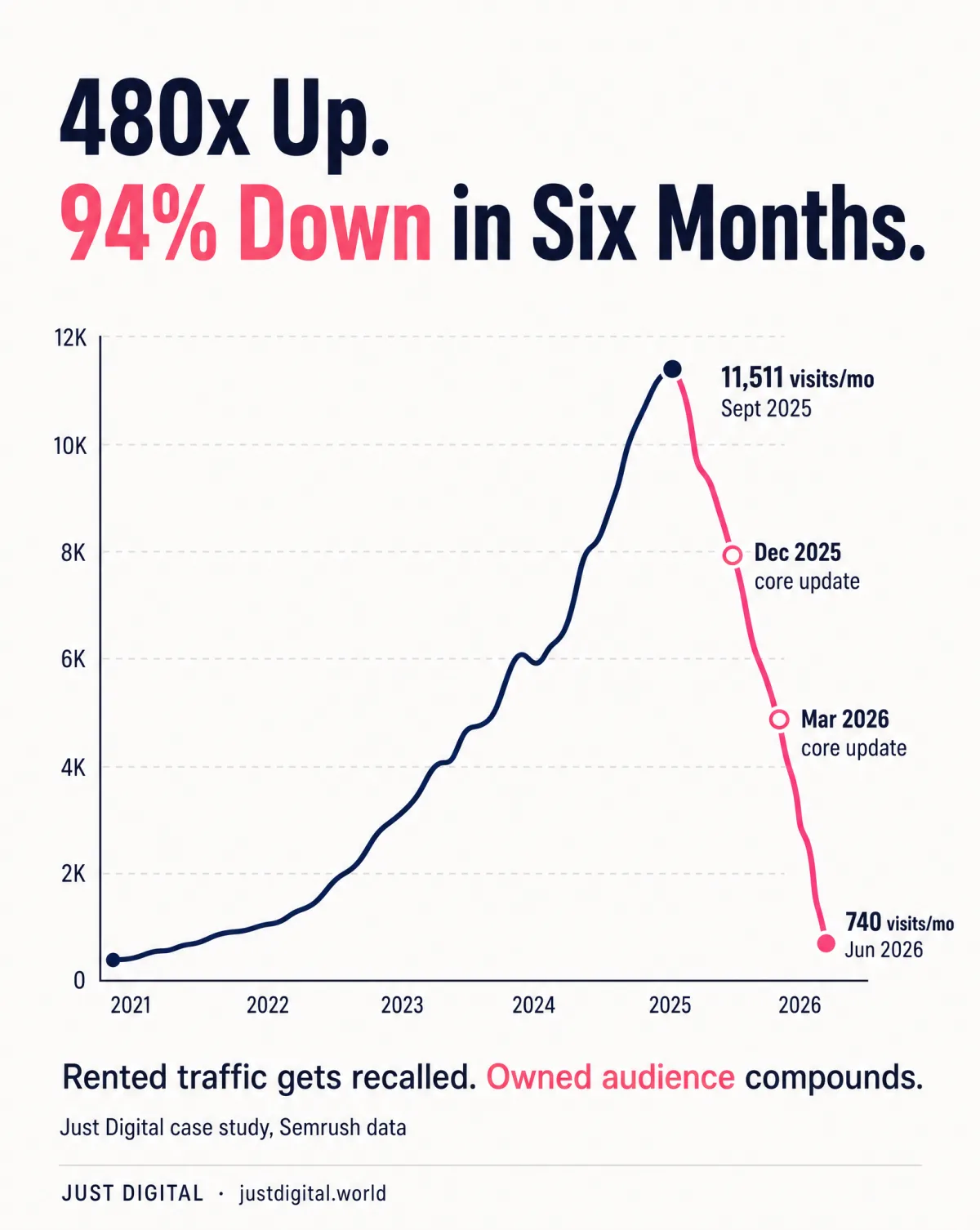
2026 made that lesson expensive again. AI Overviews now answer the query before anyone clicks, and the March 2026 core update reshuffled rankings at a rate SE Ranking called nearly double December's. We watched it happen up close: Just Digital's own published case study tracks a creator whose organic traffic grew about 480 times, then fell roughly 94% in six months across the December 2025 and March 2026 core updates.
So this is the complete version. 50 search optimization tips, grouped so you can jump straight to what you need, built from 5 real, dated 2026 studies and from our other writing, not from a 2019 listicle with the year swapped. It ends with the one tip no competing list covers: checking whether the page you ranked actually converts. That's the job Watson, our $9 copy diagnostic, exists for. More on it at Tip 50, not before.
TL;DR
- The 50 tips sit in 8 categories (Foundations and Keyword Research, On-Page and Content, Technical SEO, Links and Authority, E-E-A-T and Trust, Freshness and Maintenance, Mobile/UX/Local, AI Search and GEO-Era) plus a bonus 50th tip.
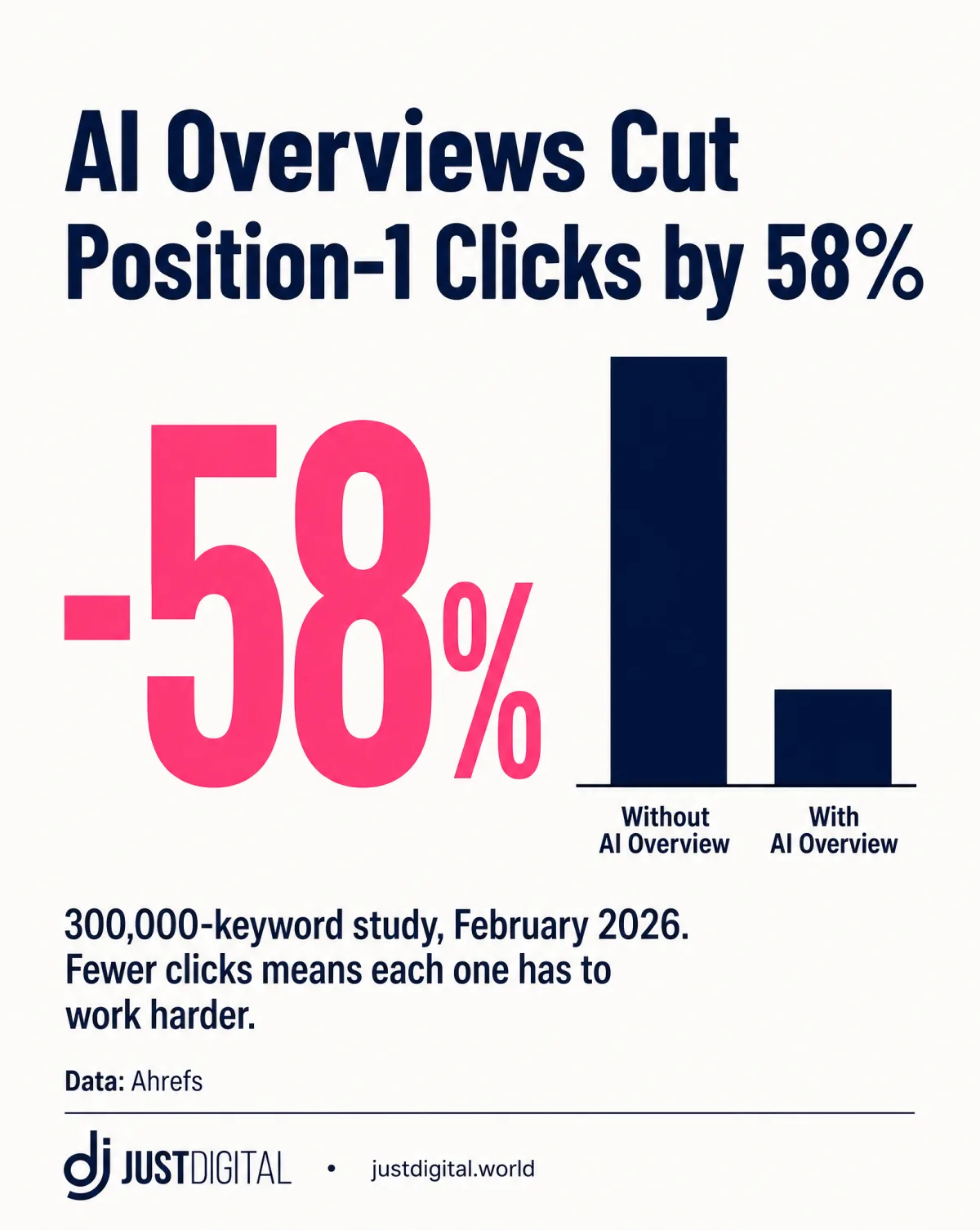
- AI Overviews correlate with a 58% lower average click-through rate for the position-1 organic result (Ahrefs, February 2026, 300,000 keywords).
- The March 2026 core update moved 79.5% of Top-3 rankings and dropped 24% of Top-10 pages out of the Top 100 entirely (SE Ranking, April 2026).
- Our own Justin Welsh case study: organic traffic grew about 480 times, then fell roughly 94% in six months across the December 2025 and March 2026 core updates.
- Ranking gets you found. The copy on the page decides whether you get chosen. Watson checks that in about 10 minutes.
What Counts as a Search Optimization Tip in 2026?
Search optimization in 2026 means getting found by both search engines and AI answer engines, and this guide groups all 50 tips into 8 categories you can jump straight to.
That definition matters. A tip that ranks you in classic Google but leaves you invisible to the AI systems summarising the results is half a tip. So everything below is written for both readers: the crawler and the answer engine.
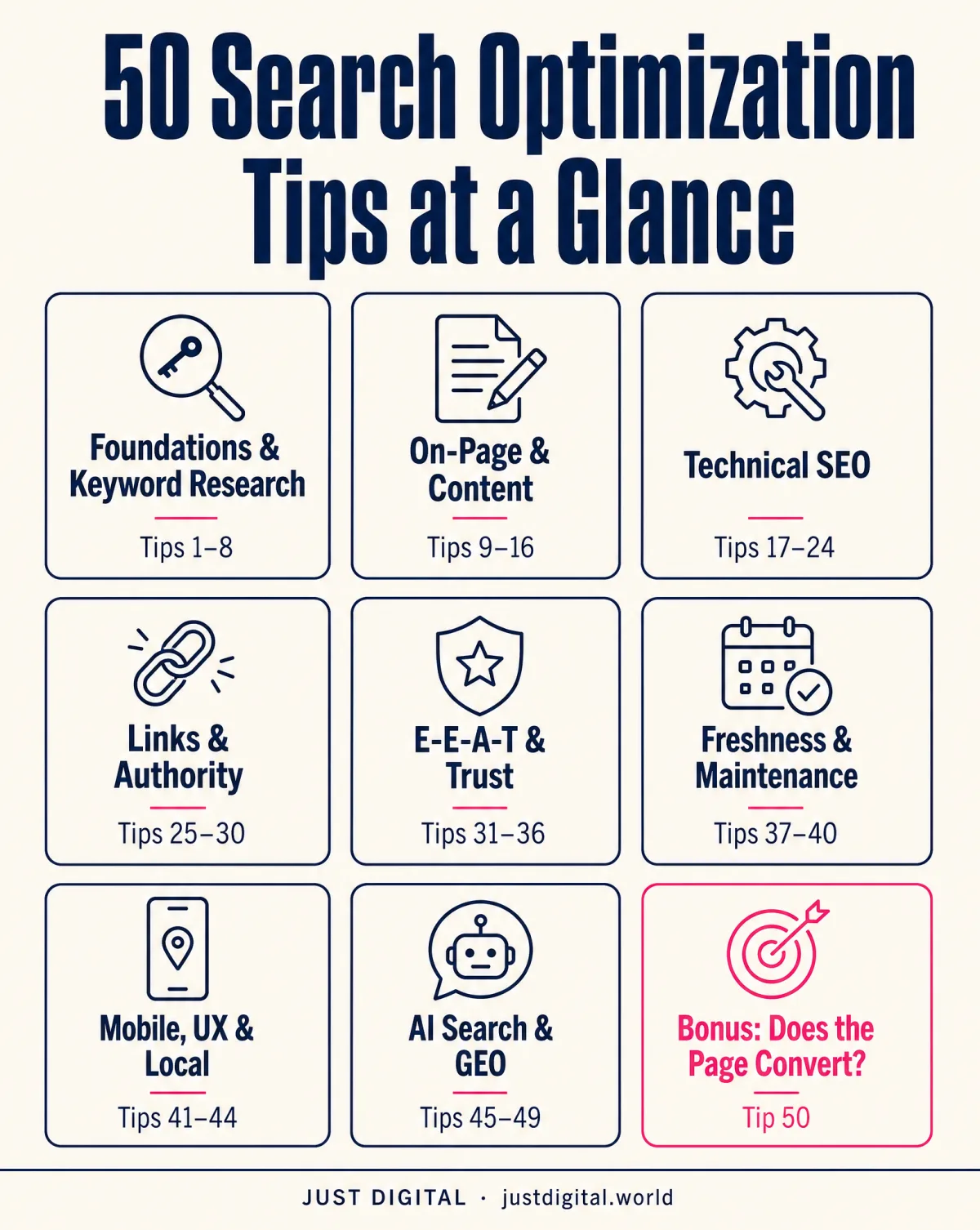
I've also refused to give you a flat wall of 50 items. Nobody actions a wall. Here's the map, including the bonus Tip 50, the one about what happens after you rank:
| Category | What It Covers | Tip Range |
|---|---|---|
| Foundations and Keyword Research | Search intent, buyer phrasing, topic clusters | 1 to 8 |
| On-Page and Content | Titles, meta descriptions, headings, readability | 9 to 16 |
| Technical SEO | Indexability, speed, schema | 17 to 24 |
| Links and Authority | Internal and earned links | 25 to 30 |
| E-E-A-T and Trust | Author, sources, disclosure | 31 to 36 |
| Freshness and Maintenance | Updates, re-checks, pruning | 37 to 40 |
| Mobile, UX, and Local | Thumb-first design, near-me intent | 41 to 44 |
| AI Search and GEO-Era | AI Overviews, citation-ready writing | 45 to 49 |
| The Bonus Tip | Checking whether the ranked page converts | 50 |
Foundations and Keyword Research: Tips 1-8
The single most important tip on this list: match search intent before you write a word. A page built for the wrong format never ranks, no matter how well it is written.
How do you do keyword research in 2026? Match search intent first, target the phrases buyers actually type instead of the phrasing you'd use, build topic clusters around a pillar page, and check keyword difficulty before committing content budget to a term. Those four, plus four more:
- Match search intent before writing a word. Search the term, look at what Google already rewards, and build that format. Guide, comparison, product page: the SERP tells you which.
- Target the phrases buyers actually type. Your customers don't search the way you talk in meetings. Mine your reviews, sales calls, and inbox for the exact words, then target those. The full method is in our guide to bottom of funnel keywords, and high converting keywords shows how to confirm which of those phrases convert, using Search Console and GA4.
- Build topic clusters, not orphan pages. One pillar page on the big topic, supporting pages on the sub-questions, all linked. Isolated keyword pages typically get outranked by organised ones.
- Check keyword difficulty before you commit. A term you can't realistically crack in 12 months is a budget leak. Pick the fight you can win.
- Study the top 10 results before writing. Note the format, the length, the tables, the questions they answer. That's the table stakes. Your job is to clear it, then add something they don't have.
- One primary keyword, 2 to 3 secondary terms per page. A page chasing ten unrelated terms usually ranks for none of them.
- Put the primary keyword in the first 100 words. Naturally, in a sentence a human would write. It confirms relevance for the crawler and the reader at the same time.
- Turn "People Also Ask" questions into subheadings. They're a free list of what searchers want answered next. Answer them under question-shaped headings.
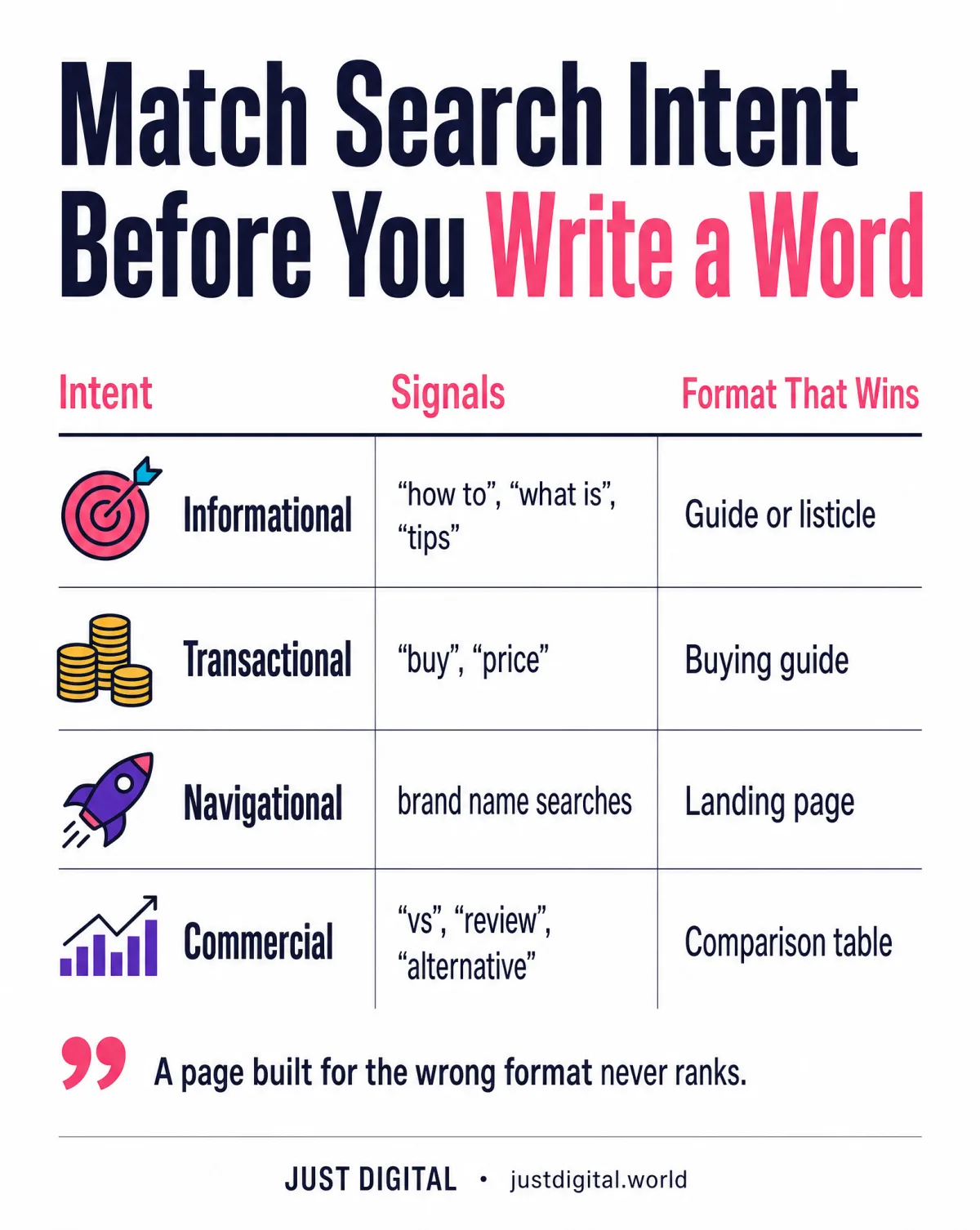
The intent-to-format match from tip 1 looks like this:
| Intent Type | Signals It | Format That Wins |
|---|---|---|
| Informational | "how to", "what is", "tips" | Comprehensive guide or listicle |
| Transactional | "buy", "price", "pricing" | Comparison or buying guide |
| Navigational | Brand or product name searches | Dedicated landing page |
| Commercial investigation | "vs", "review", "alternative" | Comparison table plus real pros and cons |
On-Page and Content Tips: Tips 9-16
Front-load the answer: put the direct answer in the first one to two sentences under every heading, not the third paragraph.
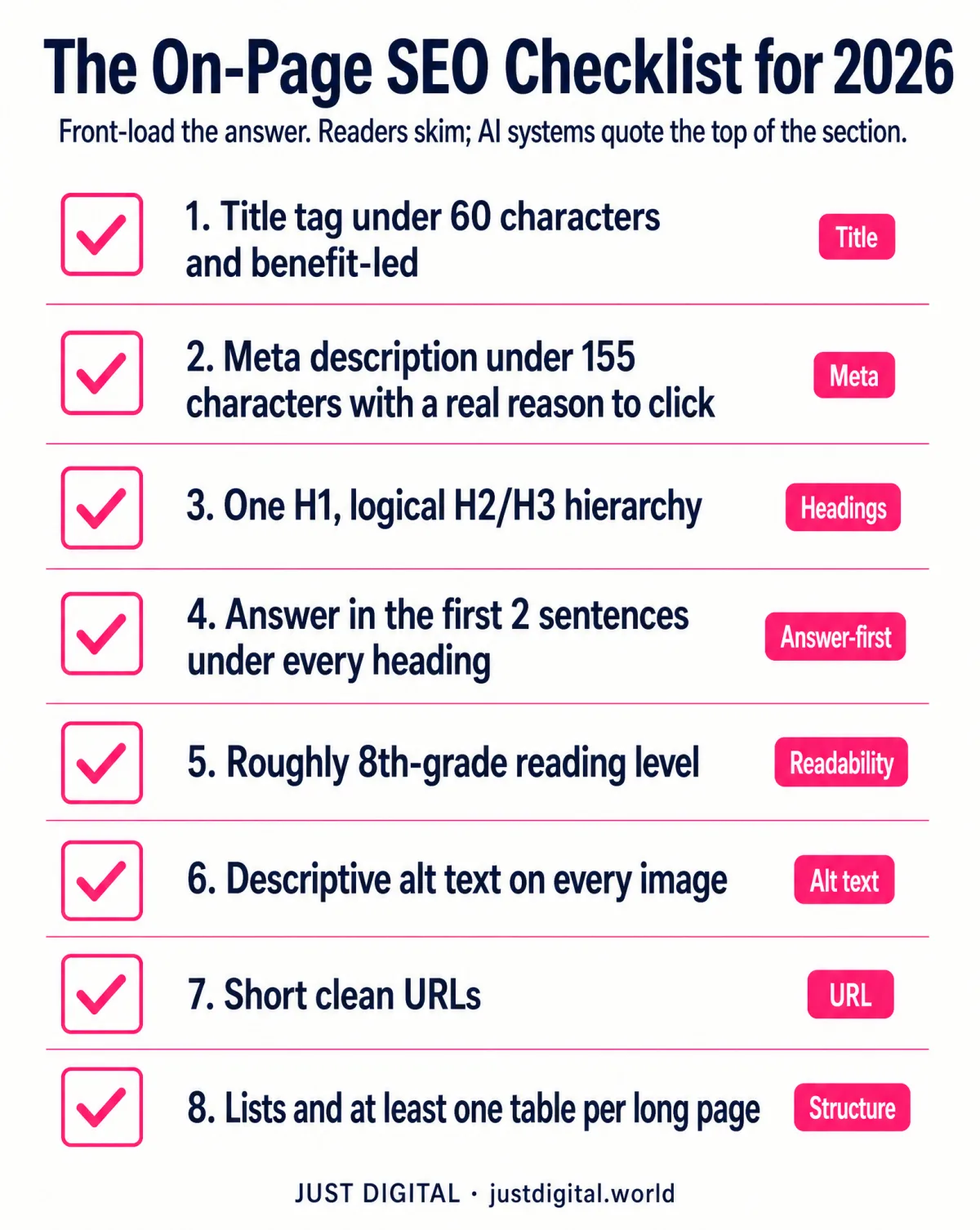
That's the on-page rule I see broken most. The rest of the checklist: a specific title tag under 60 characters, a meta description under about 155 characters, one clear H1 with a logical H2/H3 hierarchy, roughly 8th-grade readability, descriptive alt text, clean URLs, and structured lists or tables. In order:
- Write a specific, benefit-led title tag under 60 characters. "SEO Tips" loses to "50 Search Optimization Tips: Get Found, Get Chosen". Say what the reader gets.
- Write a meta description under about 155 characters that earns the click. Give a real reason to click, not a tease. A number, an outcome, a promise you keep on the page.
- Use one H1 and a logical heading hierarchy. H2s for sections, H3s for sub-points. Decorative headers that skip levels confuse crawlers and screen readers alike.
- Front-load the answer under every heading. Answer in the first sentence or two, then explain. Readers skim; AI systems quote the top of the section.
- Write at roughly an 8th-grade reading level. Short sentences. Short paragraphs. Plain words. That's not dumbing down. Your reader has 40 tabs open.
- Give every image descriptive alt text. Describe what's in the image for someone who can't see it. Stuffing the keyword in helps nobody and can hurt.
- Keep URLs short, descriptive, and clean. /blog/search-optimization-tips beats /p?id=482&cat=7. The URL is copy too.
- Structure long content with lists and at least one table. Numbered lists, bullets, comparison tables. Structured chunks are also what AI systems typically extract and cite.
Quick reference for the four elements people get wrong most:
| Element | Rule of Thumb | Common Mistake |
|---|---|---|
| Title tag | Under 60 characters, benefit-led | Keyword-stuffed, no reason to click |
| Meta description | Under about 155 characters, ends with a reason | A tease with no information |
| Heading hierarchy | One H1, then logical H2/H3 | Decorative headers with no structure |
| URL | Short and descriptive | Long strings with query parameters |
Technical SEO Tips: Tips 17-24
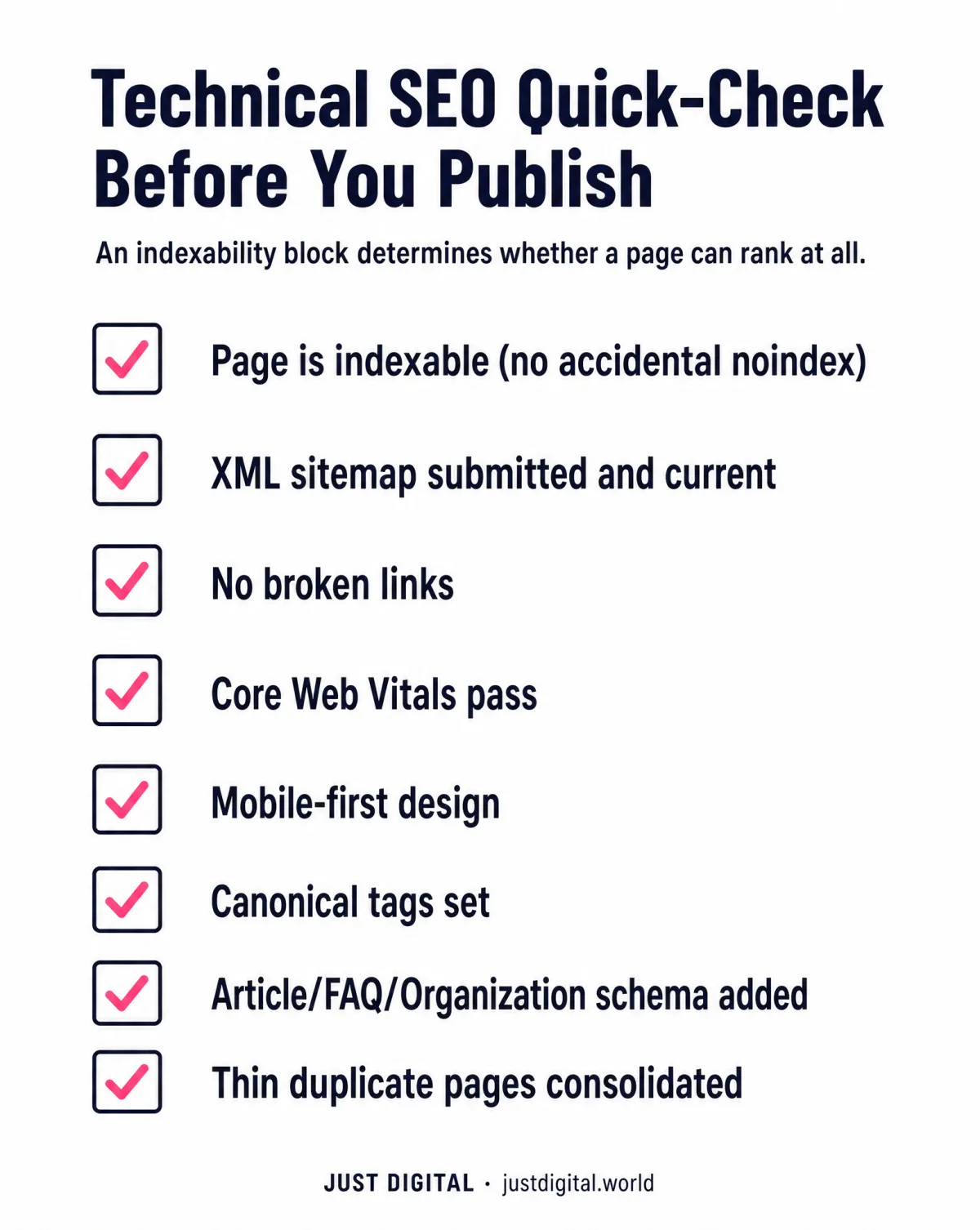
An indexability block determines whether a page can rank at all. Everything else in this list only affects how well it ranks once it can be seen.
What's on the 2026 technical checklist? Confirm every page is indexable, submit and maintain a sitemap, fix broken links, improve Core Web Vitals, design mobile-first, use canonical tags, add schema markup, and manage crawl budget on larger sites:
- Confirm every important page is actually indexable. An accidental noindex tag or robots.txt block is the single most common reason an otherwise fine page never ranks. Check Search Console before you check anything else.
- Submit and maintain an XML sitemap. It's how you tell search engines what exists and what changed. Keep it current; a stale sitemap sends crawlers to dead ends.
- Fix broken internal and external links. Every 404 you link to leaks authority and trust. Crawl your own site quarterly and repair what's snapped.
- Improve Core Web Vitals. Speed isn't cosmetic. Google-commissioned research by Deloitte found a 0.1-second improvement in mobile site speed lifted retail conversion rates by 8.4% (Milliseconds Make Millions).
- Design mobile-first, not mobile-adapted. Google indexes the mobile version. If the mobile experience is the afterthought, the afterthought is what gets ranked.
- Use canonical tags to resolve duplicates. When two URLs carry near-identical content, tell Google which one counts. Otherwise it guesses, and it may guess wrong.
- Add schema markup. Article, FAQ, and Organization JSON-LD help classic search engines and AI systems parse who you are and what the page answers.
- Manage crawl budget on larger sites. Hundreds of thin, near-duplicate pages drain crawler attention from the pages that earn money. Consolidate or redirect them.
Run this quick-check before publishing anything new:
| Check | Tool to Verify It | Fix If Failed |
|---|---|---|
| Indexability | Google Search Console coverage report | Remove accidental noindex or robots.txt block |
| Core Web Vitals | PageSpeed Insights / Search Console | Compress images, defer non-critical scripts |
| Sitemap | Search Console sitemap report | Submit or fix the XML sitemap |
| Schema markup | Rich Results Test | Add or correct Article/FAQ/Organization JSON-LD |
Links and Authority Tips: Tips 25-30
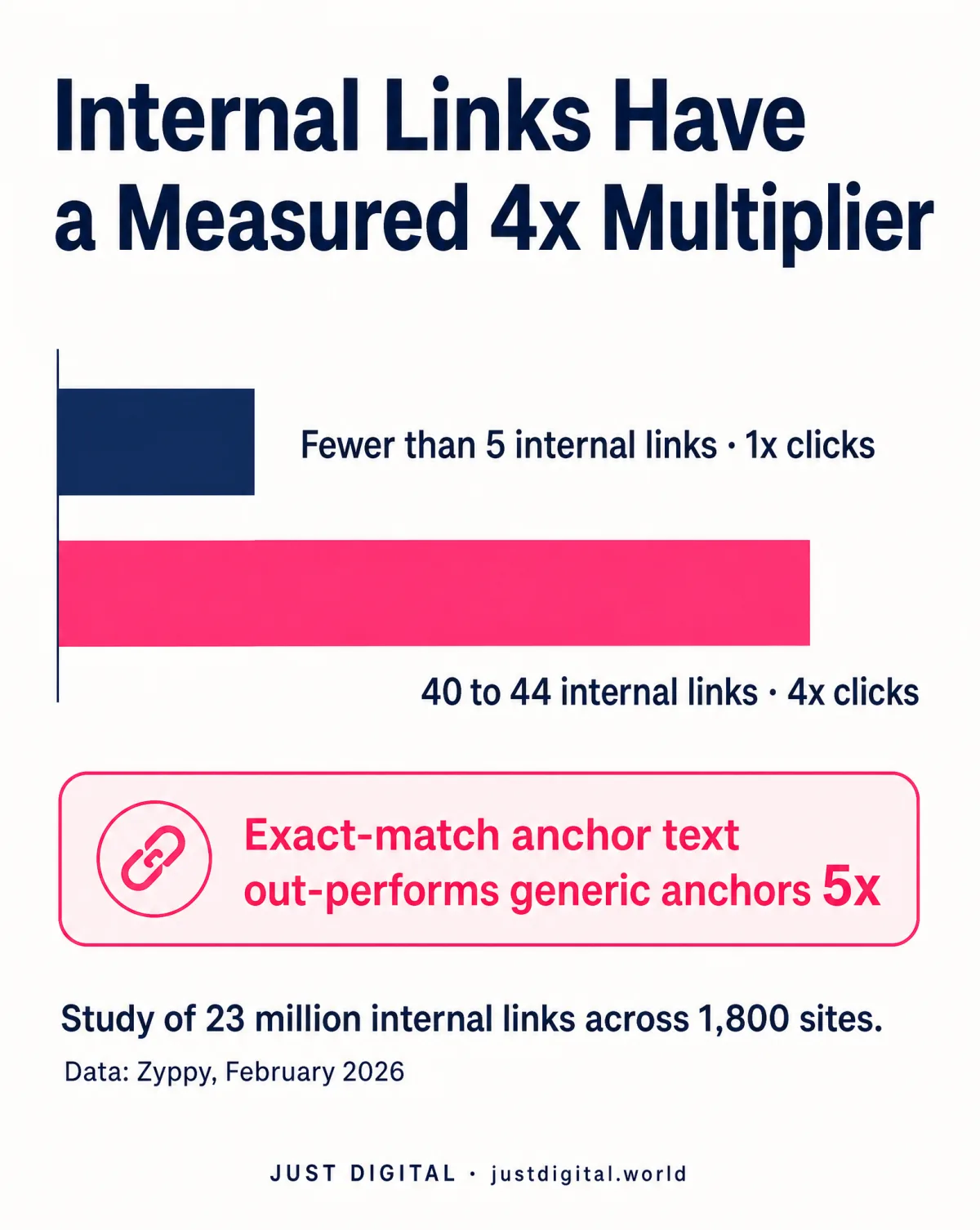
Internal linking has a measured 4-times multiplier, not just a good-practice label.
How many internal links should a page have? Cyrus Shepard's February 2026 study of 23 million internal links across 1,800 sites found pages with 40 to 44 internal links pulled in 4 times the clicks of pages with fewer than 5, and exact-match anchor text out-performed generic anchors by 5 times (the full study is at Zyppy). So this category is less optional than most lists make it sound:
- Link to every new page deliberately. An orphaned page, one nothing links to, may never get crawled and rarely ranks. Every publish comes with 3 to 5 internal links pointing at it.
- Use descriptive anchor text. "Click here" tells Google nothing. "internal link audit checklist" tells it exactly what the target page is about, and the Zyppy data says exact-match anchors typically win.
- Earn backlinks from real, relevant sources. Bought links are rented risk; I lost a site that way in 2012. A single genuine mention from a site your buyers actually read can outweigh dozens of directory entries.
- Reclaim broken backlinks. When you rename or move a page, links pointing at the old URL die quietly. Redirect them and the authority comes back.
- Publish original data other sites want to cite. This is the backlink strategy that lasts. Our own case studies are built from real Semrush series precisely so other writers have a number worth linking to.
- Keep name, address, and phone consistent where local applies. If you serve a physical area, inconsistent directory listings split your authority.
E-E-A-T and Trust Tips: Tips 31-36
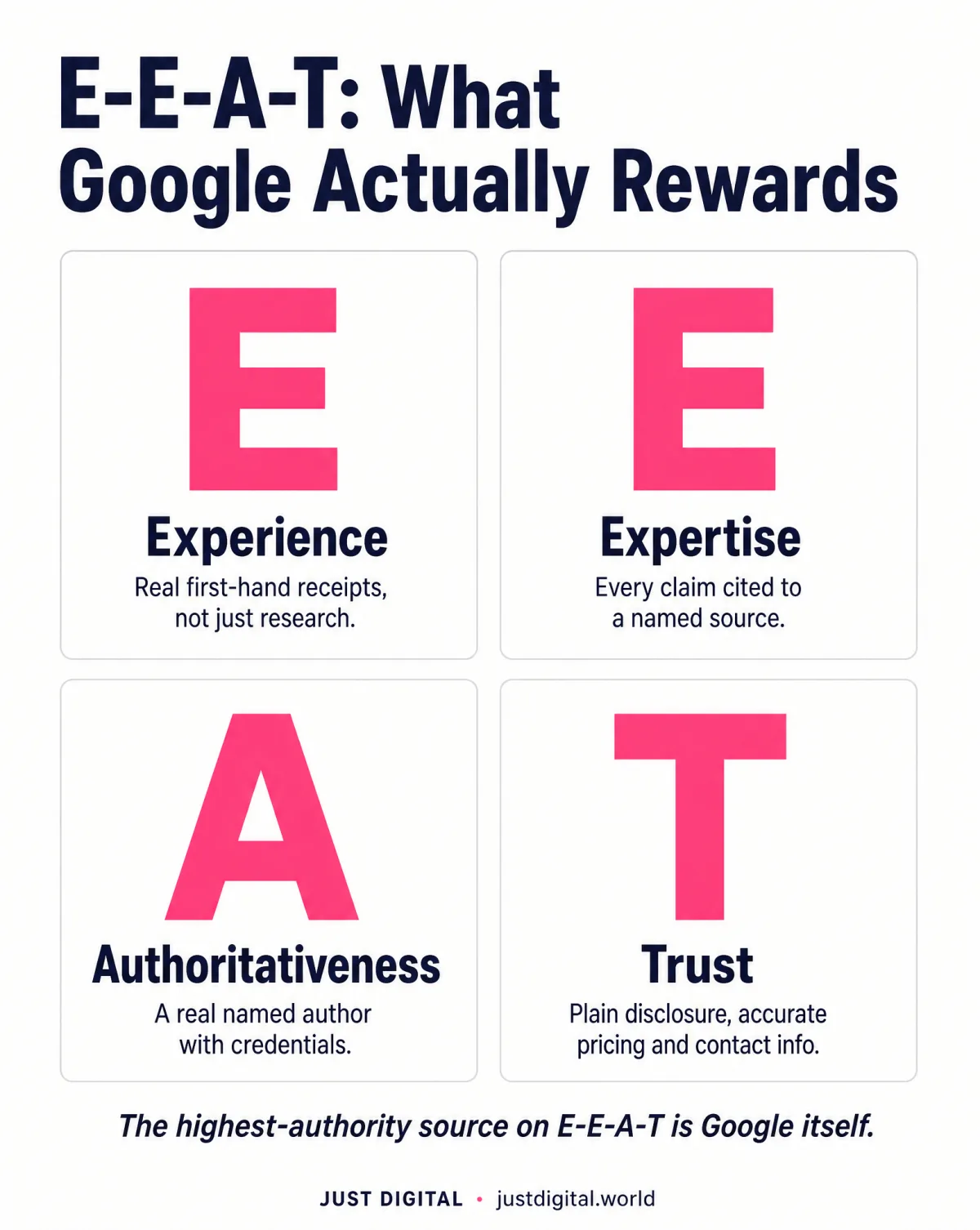
The single highest-authority source on E-E-A-T is Google itself, not a third party's interpretation of what Google wants.
Google's own Search Essentials guidance says sites that follow it are more likely to show up in Search results, and it explicitly debunks keyword-stuffing and fixed word-count myths (the SEO Starter Guide). How do you improve E-E-A-T in practice?
- Put a real, named author with real credentials on every page. Anonymous content is the easiest thing on the internet to fake, and rating systems treat it that way.
- Show first-hand experience, not just research. Real screenshots, real numbers, real receipts. I can tell you what a Google penalty feels like because I've taken one. That sentence does more E-E-A-T work than any badge.
- Cite a real source for every claim. Here's my standing rule: every claim gets a source. If we cannot attribute a number, it does not ship. An invented statistic can end a brand's credibility in one screenshot.
- Keep legal, pricing, and contact information accurate and findable. Trust raters check the boring pages. So do buyers.
- Disclose commercial relationships plainly. If you profit from a recommendation, say so where the recommendation happens. This article does exactly that: Watson is ours, and Tip 50 says so in the open.
- Earn third-party mentions instead of manufacturing them. Real reviews, real press, real testimonials with real first names. Faking them is a risk with no upside.
Freshness and Maintenance Tips: Tips 37-40
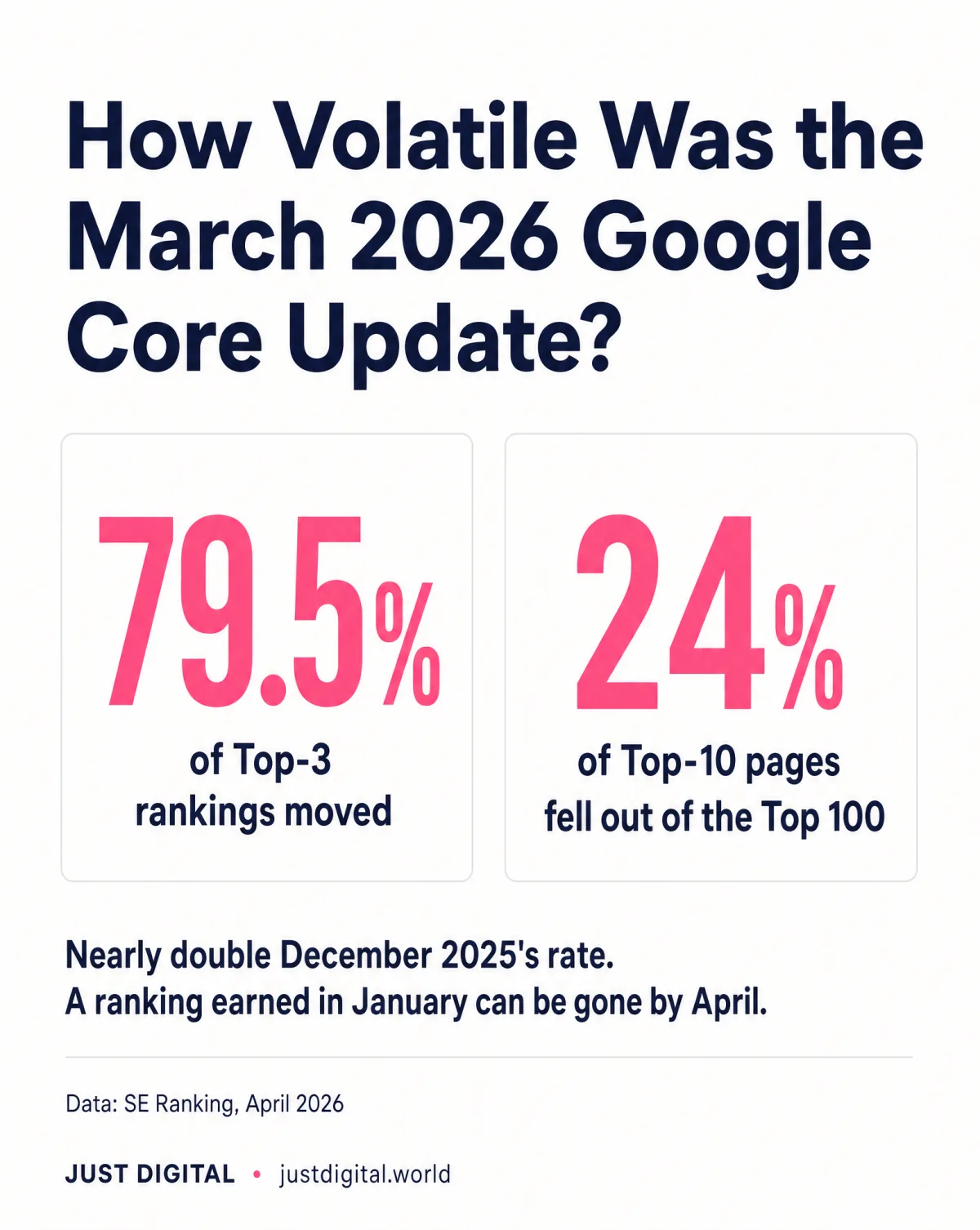
A ranking earned in January can be gone by April. The March 2026 core update moved 79.5% of Top-3 rankings.
That number comes from SE Ranking's April 2026 volatility analysis, which also found 24% of Top-10 pages pushed out of the Top 100 entirely, nearly double December 2025's rate (the full analysis). Does updating old content help? Yes: refreshing top-performing pages, re-checking after every core update, and pruning thin pages all protect against exactly that volatility.
- Update your top-performing pages before publishing new ones. A page already ranking 6th is closer to revenue than a page ranking nowhere. Refresh the data, tighten the copy, re-earn the position.
- Re-check rankings and traffic after every core update. We pulled the data on what happens when you don't: a site that grew its organic traffic about 480 times, then lost roughly 94% of it in six months across the December 2025 and March 2026 core updates. Read the full Justin Welsh autopsy or the short version. The pattern that got hit: thousands of thin, near-identical definition pages.
- Prune or consolidate thin, outdated pages. Weak pages drag on site-wide quality signals. Merge them into stronger ones or remove them; the Welsh case shows what happens when a thin-page archive compounds instead.
- Re-audit after every fix ships. A fix nobody re-checks is a guess, not a result. Re-run the same measurement you used to find the problem, and keep the receipt.
Mobile, UX, and Local Tips: Tips 41-44
A ranking is not the goal. A visitor who can actually read and act on the page is the goal.
Mobile practice for 2026 in one breath: design for thumbs first with readable tap targets, remove anything that blocks the content on first load, optimise for near-me intent where a physical service area applies, and watch bounce rate and scroll depth as real usability signals.
- Design for thumbs first. Tap targets big enough to hit, fonts readable without pinching, nothing important hiding in a hover state that doesn't exist on a phone.
- Cut anything that blocks content on first load. Full-screen popups and cookie walls with no visible skip make visitors leave before your page gets a chance. What they see in the first second decides the visit.
- Optimise for "near me" and local intent where it applies. If you serve a physical area, your location pages, profile listings, and consistent contact details are doing search work whether you maintain them or not.
- Watch bounce rate and scroll depth, not just rankings. Rankings tell you Google's opinion. Bounce and scroll tell you the visitor's. When the two disagree, the visitor's opinion is the one that pays you.
| Signal | What It Tells You | Fix |
|---|---|---|
| High bounce, low scroll | Content isn't matching the click | Rewrite the opening two sentences to match intent |
| Slow first paint on mobile | Visitors leave before they see anything | Compress hero images, remove blocking scripts |
| Popup or cookie wall with no skip | Frustration before the reader reaches content | Add a visible close or skip control |
AI Search and GEO-Era Tips: Tips 45-49
AI Overviews correlate with a 58% lower click-through rate for the position-1 result. Fewer clicks means each one has to work harder.
That's from a February 2026 Ahrefs study of 300,000 keywords: when an AI Overview appears, the position-1 result's average click-through rate falls by 58% (the study). How do you optimise for AI search in 2026? Write a dense, quotable TL;DR near the top, format headers as questions, expect fewer but higher-intent clicks, and write entity-rich, self-sufficient sentences built for citation:
- Write a dense, quotable TL;DR near the top of every long page. 3 to 5 bullets that carry the numbers and the conclusion. It serves skimming humans and quoting machines with the same block. This article's TL;DR is doing that job right now.
- Format headers as questions. An AI system reads your H2 as the query and the paragraph beneath it as the answer. Make both quotable.
- Expect fewer, higher-intent clicks, and build for them. The visitors who click through past an AI summary wanted more than the summary. Thin content sends them straight back.
- Write for citation, not just clicks. Self-sufficient sentences that make sense out of context, with named entities and sourced numbers, are what answer engines quote. "It improved a lot" quotes nowhere; "mobile speed improvements of 0.1 seconds lifted retail conversion 8.4%" quotes everywhere.
- Don't bet everything on one rented visibility channel. We investigated Reddit's LLM spam purge in a separate piece of casework: Reddit catches about 25,000 spammy posts and comments a day, and AI-visibility tactics get wiped with them. Rented mentions can vanish faster than the answer engines forget them. Owned channels, your site, your list, compound instead. When you're ready to research your own buyers instead of borrowing platforms, that's what Sherlock is for.
Tip 50: Check Whether the Page You Just Ranked Actually Converts
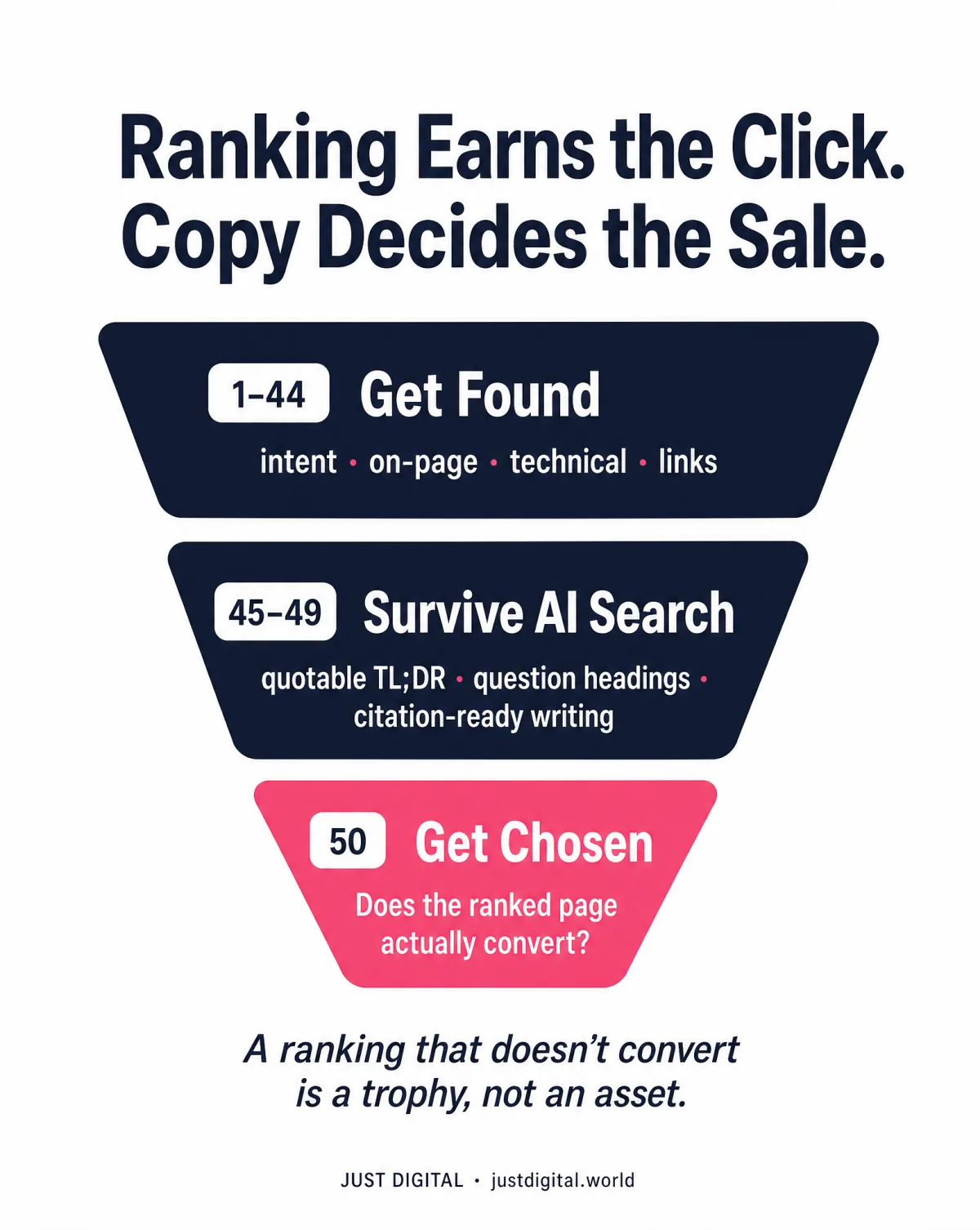
Ranking earns the click. The copy on the page decides whether you get chosen.
Here's the gap the other 49 tips can't close. Why isn't your page converting after you ranked it? Because ranking and persuading are different jobs. Every list like this one stops at "get found". None of them scores whether the page persuades the visitor who arrives. i've read enough of them to say that with a straight face.
So the 50th tip is the one I built a product for, and yes, this is the disclosure: Watson is ours. Just Digital's own tool. You should weigh this tip knowing that.
What it is, plainly: Watson is a $9 one-time copy diagnostic. No subscription. It investigates your homepage, scores seven buying triggers, and ranks the leaks costing you sales. The report is in your hands in about 10 minutes and reads in about 10 minutes. It runs inside Claude; setup takes about two minutes with the included guide, no technical skill needed. The $9 also includes one full run of every other detective in the agency: Sherlock (Customer DNA), Moriarty (competitor teardown), Virtual Dom (marketing coach), and Google Quality Rater (SEO check). Lestrade, the intake interviewer, stays free and unlimited.
And what it will not do, because I'd rather undersell than overpromise: Watson will not fix a broken offer, run an A/B test, or replace your analytics. It names the leak. It does not guarantee a sale.
The terms, in the exact words we publish them: "Try it without risk. Run all 5 tools once each. If you don't find a single thing worth changing in your marketing, reply to your receipt and get the $9 back."
Anton, founder of MVP Gurus, after running it: "It's done what would take hours and an expert to do." "The price point is nothing compared to the value."
If tips 1 to 49 got your page found, Watson checks whether it gets chosen.
Conclusion: Rank, Then Check the Page
Three beats. Match intent and cover the content and technical basics, tips 1 to 44. Build for the AI-search era, tips 45 to 49, because the clicks that survive AI Overviews are scarcer and worth more. Then check the page itself once it ranks, tip 50, because a ranking that doesn't convert is a trophy, not an asset.
That's the whole discipline Just Digital runs on: proof first, in your buyer's own words. Run Watson at getwatson.io.
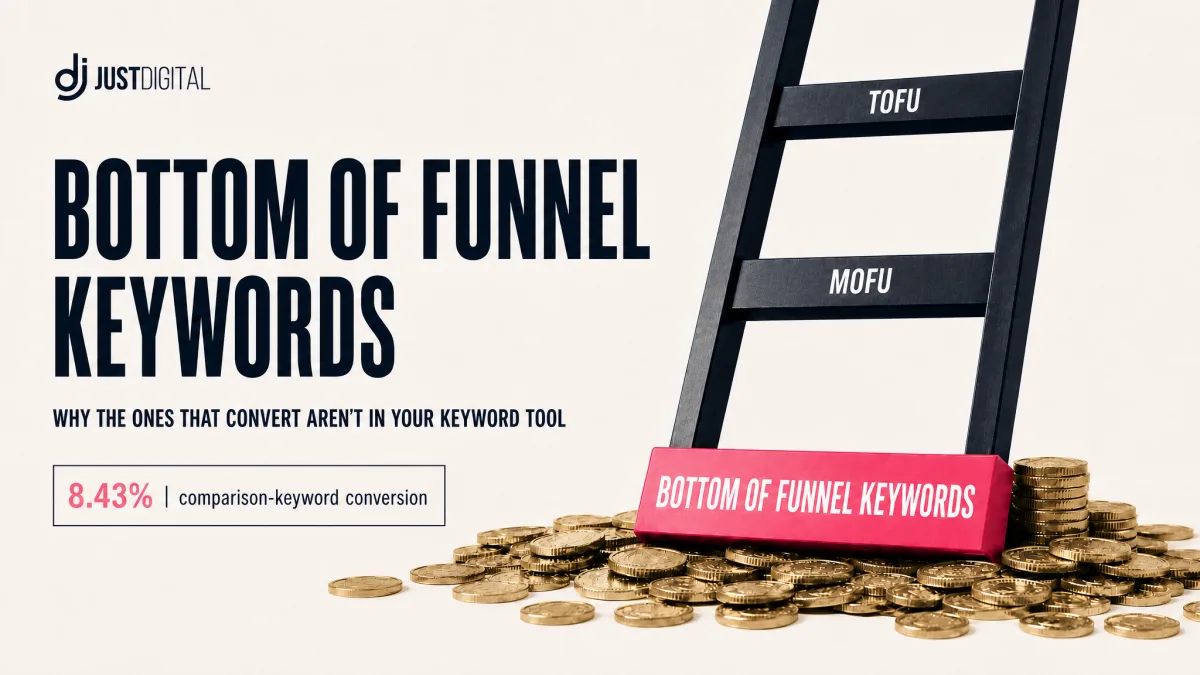
Want the deep version of tips 2 and 50? The follow-up guide shows where the converting keywords actually hide:
Frequently Asked Questions
What Is the Single Most Important Search Optimization Tip If I Can Only Do One Thing?
Match search intent before you write a word.
- A page built for the wrong format never ranks, however well it's written.
- Checking the top 10 results tells you the format Google already rewards.
- Intent covers what the searcher wants AND the shape they want it in.
However: intent gets the page found, not necessarily converting. That's tip 50's job. Read tip 1 for the full breakdown.
Do I Need to Hire an Agency, or Can I Do This Myself?
Most of these 50 tips are founder-doable.
- Keyword research, on-page content, and freshness maintenance need time, not a specialist.
- Copy diagnosis needs no technical skill either: Watson runs inside Claude, setup takes about two minutes with the included guide.
- The properly technical work sits in tips 17 to 24.
However: a site with hundreds of pages or a serious technical backlog may still need specialist hands for the technical block. See the technical SEO checklist above.
Which of These 50 Tips Matter Most for a Brand-New Site With No Traffic Yet?
Start with intent, indexability, and one complete pillar page.
- Match search intent and target real buyer phrasing (tips 1 and 2).
- Confirm the site is actually indexable before anything else (tip 17).
- Write one complete pillar page instead of ten thin ones (tip 3).
However: don't skip E-E-A-T basics just because traffic is low. A real named author from day one costs nothing. Start with the foundations tips above.
Is Watson a Subscription, and What Happens If It Tells Me Nothing New?
No subscription. Watson is $9, one time.
- It scores seven buying triggers and ranks the leaks costing you sales, report in about 10 minutes.
- The $9 includes one full run of Sherlock, Moriarty, Virtual Dom, and Google Quality Rater. Lestrade stays free and unlimited.
- The terms, verbatim: "Try it without risk. Run all 5 tools once each. If you don't find a single thing worth changing in your marketing, reply to your receipt and get the $9 back."
However: it diagnoses your copy; it doesn't write it for you. Run Watson at getwatson.io.
What Kinds of Pages Can Watson Actually Read and Score?
A homepage or landing page, any page whose job is selling.
- It scores seven psychological buying triggers and ranks the leaks costing you sales.
- It runs inside Claude; setup takes about two minutes with the included guide, no technical skill needed.
- The report arrives in about 10 minutes.
However: Watson diagnoses the copy. It won't fix your offer, run a test, or replace analytics. See Tip 50 for what it checks.
Once I Rank, How Do I Know If the Page Is Actually Converting?
Score the page itself, not just its position.
- Tips 1 to 49 earn the click; none of them score whether the page persuades the visitor who arrives.
- Watson ($9, one time, getwatson.io) scores the seven triggers that decide a sale.
- Re-run it after a fix ships to check whether the leak actually closed.
However: if all seven triggers score well and sales still stall, the problem may sit upstream in the offer, audience, or price, and Watson saying so plainly is worth the $9. Check your page with Watson.
What Is E-E-A-T in SEO?
Experience, Expertise, Authoritativeness, and Trust.
- It's part of Google's own Search Essentials guidance, not a third-party invention.
- On a page it looks like a real named author, first-hand experience, cited sources, and accurate contact and pricing information.
- Tips 31 to 36 cover each piece.
However: it's a quality framework, not a literal switch you can flip in isolation. See the full E-E-A-T checklist above.
How Does Page Speed Affect SEO?
It affects both crawl efficiency and whether the visitor stays.
- Core Web Vitals are Google's own measured speed and stability signals.
- Google-commissioned Deloitte research found a 0.1-second mobile speed improvement lifted retail conversion 8.4%.
- Slow first paint on mobile means visitors leave before seeing anything at all.
However: speed is necessary, not sufficient. A fast page with unpersuasive copy still won't convert; that's tip 50. Check your Core Web Vitals first.
Technical health counts as well. If your site runs on PHP, check that it is patched first: see our PHP security update guide.
Sources
- Ahrefs: AI Overviews Reduce Clicks (300,000 keywords, 4 February 2026)
- SE Ranking: March 2026 Core Update Caused More Volatility Than December's (17 April 2026)
- Zyppy: 23 Million Internal Links, SEO Case Study (23 million links across 1,800 sites, 23 February 2026)
- Google and Deloitte: Milliseconds Make Millions (web.dev case study)
- Google Search Central: SEO Starter Guide